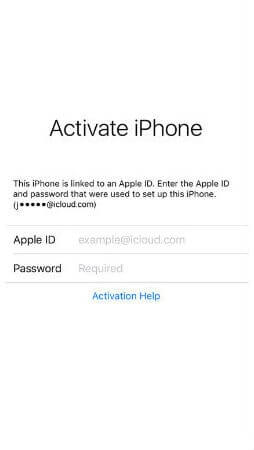
iCloud Spider Officially and Permanently Unlock, Bypass & Remove iCloud Activation Lock on your iPhone 11 Pro / 11 Pro Max, 12 / 12 Mini, 12 Pro / 12 Pro Max, 13 / 13 Mini, 13 Pro / 13 Pro Max, 14 / 14 Plus, 14 Pro / 14 Pro Max, 11, 11 Pro, X, 8, 8 Plus, 7 Plus, 7, 6S Plus, 6S, 6, SE, 5S, 5C, 5, 4S, 4 and all iPad 4,3,2 Air, Pro and iWatch Versions.
iCloud Spider can be used to remove iCloud Lock permanently from your device without the fear of being locked again.
No matter who is previous owner of the iPhone, iCloud Spider will just disable "Fiand My Phone" feature from the device.

iCloud Spider use built-in proxies and private servers and data enctyption to unlock your device so you no traces are left.
You can easily update your device's iOS version without any problem after unloking it with the iCloud Spider.
With iCloud Spider you have the flexibility to unlock your device either via USB or by using your phone IMEI number.
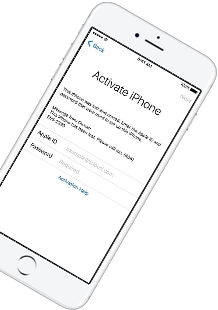


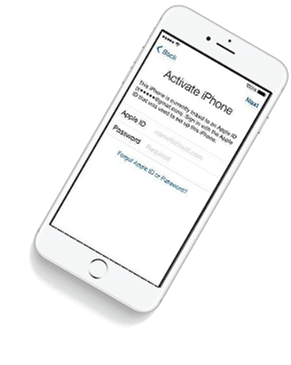



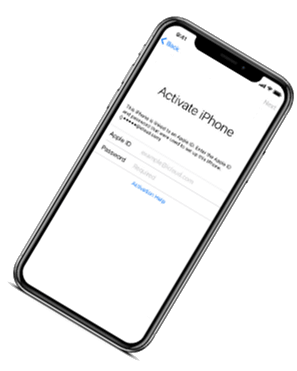

If you have forgotten your apple id or you bought a used iPhone from ebay/walmart and the original owner has enabled "Find My Phone" feature accidentally or purposely and you don't know how to contact him or unlock your device then you are on right place.
iCloud Spider will not only help you to unlock your iPhone but it will also remove any icloud activation lock (e.g. Find My Phone) from your device forever.
Unlocking iPhone made easy with iCloud Spider. You don't have to install iCloud Spider on your PC to unlock your iPhone/iPad. Read the instructions below to learn how to use our icloud unlock software.
Download & run iCloud Spider on your PC. (You can unlock just one device by IMEI in free version of iCloud Spider)
Connect your locked iphone/ipad to your pc via usb or type your phone's imei in iCloud Spider and hit the "Unlock This Device" button.
iCloud Spider will permanently unlock your locked iphone/ipad in just few minutes depending on your internet speed.
iCloud Spider is multi-devices & multi-OS supported. You can download & use IS(iCloud Spider) on Windows and MAC. iOS and Android version will be added soon.
Use iCloud Spider Web-based Tool: Click Here
Use Online FRP Lock Removal App: Click Here
See the working of our icloud unlocker tool below. It's easy to unlock any iPhone/iPad within seconds.
Unlock any iCloud locked device with the ease of our iCloud activation lock removal software at very affordable prices.
The “fix” itself is rarely a grand update from the developer. Unlike subscription software that forces patches, CaptureWiz Pro is a mature, often static product from Pixelmetrics. Consequently, fixing it is an act of user-driven archaeology. It involves rolling back a problematic Windows setting, registering a specific .ocx control, or replacing a corrupt hotkey database. The solution is often posted on niche forums—DonationCoder, Reddit’s r/software, or the developer’s own support board. When a user declares “CaptureWiz Pro fixed,” they are announcing that they have successfully diagnosed an obscure conflict between a legacy screen capture driver and a modern graphics API. It is a small victory of technical troubleshooting.
CaptureWizPro relies heavily on hotkeys (like F10) and its unique "screen capture bar" overlay. If another program hijacks these resources, CaptureWizPro may freeze or refuse to capture. Identify Conflicting Software
CaptureWiz Pro remains a powerful and versatile tool for screen capture, trusted by over 646,000 users according to CNET. With its intuitive interface and robust features, it excels at capturing images, videos, and audio from your computer screen. While this guide has addressed the most common technical problems users face, it's important to acknowledge that some challenges—such as feature removals or the lack of a pause button during CPU-intensive rendering—appear to be inherent design choices rather than bugs.
If you are currently troubleshooting an active error message in CaptureWiz Pro, let me know you are experiencing so we can deploy the exact targeted fix. Share public link
To help me narrow down the exact issue you are facing, please tell me: What are you currently running?
The “fix” itself is rarely a grand update from the developer. Unlike subscription software that forces patches, CaptureWiz Pro is a mature, often static product from Pixelmetrics. Consequently, fixing it is an act of user-driven archaeology. It involves rolling back a problematic Windows setting, registering a specific .ocx control, or replacing a corrupt hotkey database. The solution is often posted on niche forums—DonationCoder, Reddit’s r/software, or the developer’s own support board. When a user declares “CaptureWiz Pro fixed,” they are announcing that they have successfully diagnosed an obscure conflict between a legacy screen capture driver and a modern graphics API. It is a small victory of technical troubleshooting.
CaptureWizPro relies heavily on hotkeys (like F10) and its unique "screen capture bar" overlay. If another program hijacks these resources, CaptureWizPro may freeze or refuse to capture. Identify Conflicting Software
CaptureWiz Pro remains a powerful and versatile tool for screen capture, trusted by over 646,000 users according to CNET. With its intuitive interface and robust features, it excels at capturing images, videos, and audio from your computer screen. While this guide has addressed the most common technical problems users face, it's important to acknowledge that some challenges—such as feature removals or the lack of a pause button during CPU-intensive rendering—appear to be inherent design choices rather than bugs.
If you are currently troubleshooting an active error message in CaptureWiz Pro, let me know you are experiencing so we can deploy the exact targeted fix. Share public link
To help me narrow down the exact issue you are facing, please tell me: What are you currently running?
Our developers have now added support for iPad Pro 11.5". So download the latest version of IS to enjoy this feature...
Our developers have now added support for iPad Pro 11.5". So download the latest version of iCloud Spider... capturewiz pro fixed
Good News! Android & iOS versions of the iCloud Spider are in beta testing and will be available for free to our existing customers. The “fix” itself is rarely a grand update
Here's the complete list of 25 great hidden iOS 12 features available for your iPhone, iPad and iPod touch. It involves rolling back a problematic Windows setting,